Monday, October 22, 2012
U.S. Customs Workers to Switch to iPhones From BlackBerrys
Having a small hand in the cellphone forensics side of the DME business, I don't see the move to the iPhone as a good thing. I would hope that, rather than take the "fan boy" route, agencies fully validate the phones in terms of security, and just what the phone captures about the users' daily activities. I know what I can get from an iPhone - at the local police level using tools like Cellebrite and FinalMobile. I can imagine what the national security side looks like. Not good.


Friday, October 19, 2012
Creative Cloudy
Ok. This isn't right. I've just finished downloading all the CS6 apps via the Creative Cloud. Now, understand, I don't technically have internet up here on the ranch. Verizon's switch was fully populated for the mountain communities before I moved in, so I get internet through a cellular 3G link. So, I downloaded all the apps via cellular. Ouch.
But, it gets worse. When I finished downloading everything (about 2 gigs worth), and fired up Bridge CS6, the check for updates functionality kicked in and found another 700Mb in updates? Updates? I just downloaded the latest stuff from the Cloud. Why should there be updates? Ugh.
I'll click the update button and go to bed. In all, it'll take about 24 hours to download, install, and update the CS6 apps via 3G.
Have a great weekend.
But, it gets worse. When I finished downloading everything (about 2 gigs worth), and fired up Bridge CS6, the check for updates functionality kicked in and found another 700Mb in updates? Updates? I just downloaded the latest stuff from the Cloud. Why should there be updates? Ugh.
I'll click the update button and go to bed. In all, it'll take about 24 hours to download, install, and update the CS6 apps via 3G.
Have a great weekend.
Wednesday, October 17, 2012
Meet Amped Software at the LEVA Conference
This just in from Amped Software:
We are happy to announce that we’ll be present at the Law Enforcement & Emergency Services Video Association (LEVA) 2012 Annual Training Conference on October 22-26, 2012 at the BAHIA Hotel in San Diego, California.
We will be demonstrating and showcasing the new 2012 version of our popular Amped Five Professional forensic video enhancement software. VideoScanner, our new product for forensic video e-discovery, will be shown in action at our booth. This is a new tool that can save countless hours for investigators looking for video evidence on a suspect’s computer.
Training conferences like LEVA are very important for us: with respect to other kind of events, here we have the possibility to be in touch with our actual end users and meet with world class forensic video analysts. Here we can present our technology to experts who can fully understand its potential and give concrete feedback for its further improvement. For this reason we are presenting here not only our popular software for forensic video analysis, Amped Five, but also our latest projects.
In particular with VideoScanner we created a very simple tool which can save hours looking and inspecting video files in digital forensic cases. VideoScanner allows the investigator to quickly extract few representative frames to all the videos found on a device for a efficient inspection. As a bonus it add several forensic facilities, such as the possibility to calculate the hash code on all the analyzed files and the automatic creation of the analysis report.
We are using this conference to show a preview of Authenticate, our new project which for digital photo authentication. Authenticate will incorporate an innovative workflow concept into a ground-breaking software for image authentication within a feature-packed, but easy to use, user experience. We see this as a critical tool for prosecutors and investigators in states such as California in light of the recent Beckley court ruling on requirements for digital evidence authentication. Evidence is being challenged in courts on the basis of authenticity and Authenticate will provide several tools for evaluating the originality of an image. We are offering several types of tools in Authenticate and have combined several different techniques, from simple metadata and quantization table analysis to actual pixel value inspection and cutting edge techniques used to specifically match an image to a camera or device.
At LEVA, Amped Software will be in booth 122 in the main exhibit hall. We have donated a VideoScanner tool for the LEVA Door Prize Drawing. You have to be present to win, so we'll see you there!
We are happy to announce that we’ll be present at the Law Enforcement & Emergency Services Video Association (LEVA) 2012 Annual Training Conference on October 22-26, 2012 at the BAHIA Hotel in San Diego, California.
We will be demonstrating and showcasing the new 2012 version of our popular Amped Five Professional forensic video enhancement software. VideoScanner, our new product for forensic video e-discovery, will be shown in action at our booth. This is a new tool that can save countless hours for investigators looking for video evidence on a suspect’s computer.
Training conferences like LEVA are very important for us: with respect to other kind of events, here we have the possibility to be in touch with our actual end users and meet with world class forensic video analysts. Here we can present our technology to experts who can fully understand its potential and give concrete feedback for its further improvement. For this reason we are presenting here not only our popular software for forensic video analysis, Amped Five, but also our latest projects.
In particular with VideoScanner we created a very simple tool which can save hours looking and inspecting video files in digital forensic cases. VideoScanner allows the investigator to quickly extract few representative frames to all the videos found on a device for a efficient inspection. As a bonus it add several forensic facilities, such as the possibility to calculate the hash code on all the analyzed files and the automatic creation of the analysis report.
We are using this conference to show a preview of Authenticate, our new project which for digital photo authentication. Authenticate will incorporate an innovative workflow concept into a ground-breaking software for image authentication within a feature-packed, but easy to use, user experience. We see this as a critical tool for prosecutors and investigators in states such as California in light of the recent Beckley court ruling on requirements for digital evidence authentication. Evidence is being challenged in courts on the basis of authenticity and Authenticate will provide several tools for evaluating the originality of an image. We are offering several types of tools in Authenticate and have combined several different techniques, from simple metadata and quantization table analysis to actual pixel value inspection and cutting edge techniques used to specifically match an image to a camera or device.
At LEVA, Amped Software will be in booth 122 in the main exhibit hall. We have donated a VideoScanner tool for the LEVA Door Prize Drawing. You have to be present to win, so we'll see you there!
Tuesday, October 16, 2012
I'm now an Adobe Creative Cloud subscriber
OK. I did it. I finally did it. I signed up for Adobe's Creative Cloud services. I'd like to say that I did it for work, but that's not entirely true. I did it for school. For all the things that I'm doing in my school work towards my PhD, it just made sense. Plus, the special offer that they made through the school was too hard to pass on. So, I did it. I'm in the cloud.

Wish me luck.

Wish me luck.
Monday, October 15, 2012
Art vs. Science
I'll be in court today as a spectator, watching two "experts" testify as to their work on the authenticity of a particular piece of evidence. These two people both "examined" a VHS tape. Each came to a separate conclusion as to the authenticity of the evidence. One has a process, a system, a set of tools that is recognized by his peers as valid, and institutional backing. The other, seemingly worked by feel - trusting his gut that things just didn't look right. One has a stack of notes that can be used to re-create his work. The other has several pages that only make sense to him. The scene is set ...
I'll have my smart phone at the ready, Tweeting live as interesting things come up. Follow me @jimhoerricks.
I'll have my smart phone at the ready, Tweeting live as interesting things come up. Follow me @jimhoerricks.
Wednesday, October 10, 2012
FourMatch in an Image Authentication Workflow
Four and Six recently posted the latest in a series of blog posts placing their new FourMatch authentication tool in context within the larger image authentication workflow.
" ... The biggest strength of FourMatch is its ability to provide compelling evidence that an image file has not been modified since it was first captured. However, FourMatch is not designed to tell you whether an image is untruthful. It merely tells you whether the photo remains in the pristine state it would be in coming direct from the camera. That means that many files that fail the FourMatch test may still be truthful images. Perhaps someone just cropped the image without altering the remaining photo content. Or perhaps someone just re-saved the photo using a higher degree of JPEG compression in order to make the file smaller to upload to the Internet. Both of these changes would cause the resulting file to fail the FourMatch test, even though the actual content of the file is still reliable ..."
" ... Let’s start with considering FourMatch as a standalone authentication measure. Particularly within a legal setting, there are many times when people may need assurance that an image can be trusted, particularly given the ease with which images can be manipulated with modern software ..." Two things come to mind, is it possible that an image is authentic, completely untouched by software, yet fail the test? Meet the black swan. Even though their database is quite robust, it still needs updating regularly. Thus, the software - given the tremendous head start - will play catch up as new phones and cameras come out. Not finding that black swan depends on keeping your subscription up to date, keeping your local database up to date, and Four and Six keeping their end up to date. Also, as it's software and it's database driven, can it be spoofed? Hmmm.
At this point, I think it's abundantly clear what FourMatch is and isn't. The question now is ... is it worth the initial price + on-going subscription (+ off-line surcharge for those folks who have an un-internet-connected lab) for what it provides? Given that a lot of folks haven't upgraded from Photoshop CS3, this cost also includes upgrading Photoshop as well.
" ... The biggest strength of FourMatch is its ability to provide compelling evidence that an image file has not been modified since it was first captured. However, FourMatch is not designed to tell you whether an image is untruthful. It merely tells you whether the photo remains in the pristine state it would be in coming direct from the camera. That means that many files that fail the FourMatch test may still be truthful images. Perhaps someone just cropped the image without altering the remaining photo content. Or perhaps someone just re-saved the photo using a higher degree of JPEG compression in order to make the file smaller to upload to the Internet. Both of these changes would cause the resulting file to fail the FourMatch test, even though the actual content of the file is still reliable ..."
" ... Let’s start with considering FourMatch as a standalone authentication measure. Particularly within a legal setting, there are many times when people may need assurance that an image can be trusted, particularly given the ease with which images can be manipulated with modern software ..." Two things come to mind, is it possible that an image is authentic, completely untouched by software, yet fail the test? Meet the black swan. Even though their database is quite robust, it still needs updating regularly. Thus, the software - given the tremendous head start - will play catch up as new phones and cameras come out. Not finding that black swan depends on keeping your subscription up to date, keeping your local database up to date, and Four and Six keeping their end up to date. Also, as it's software and it's database driven, can it be spoofed? Hmmm.
At this point, I think it's abundantly clear what FourMatch is and isn't. The question now is ... is it worth the initial price + on-going subscription (+ off-line surcharge for those folks who have an un-internet-connected lab) for what it provides? Given that a lot of folks haven't upgraded from Photoshop CS3, this cost also includes upgrading Photoshop as well.
Tuesday, October 9, 2012
Problems with CCTV evidence in court
This from Walesonline.com illustrates the problems in dealing with CCTV evidence: "... Jason Richards, 38, and Ben Hope, 39, are on trial accused of his murder and the attempted murder of his parents who had tried to stop their son from being attacked.
They both deny all the charges against them.
The jury had previously heard that that eight and a half years worth of CCTV material had been recovered during the investigation into the 17-year-old student’s death.
Earlier in the week DC James told the court he had viewed CCTV images from all over the city as part of the investigation.
The jury had also heard that around 100 to 120 cameras had been involved in the investigation and included images from public houses, private houses and commercial premises.
As part of the cross-examination of DC James which began today, Mr Rees pointed out that two clips taken from a camera at Talybont student accomodation couldn’t follow each other as the one later in sequence happened earlier in adjusted real time.
During the hearing DC James explained to the court how some differences in timings could occur.
He said it could be the case that an officer has rounded it down to the minute or up to the minute.
DC James added: “We try to be as accurate as we possibly can.”
The court heard that council cameras were treated as being accurate as they run to the atomic clock.
Mr Rees also read out in court a number of premises which had been asked to download their CCTV as part of the investigation.
He said Talybont student accommodation had been asked to do so on April 19 - eight days after Aamir had been killed.
Mr Rees said when the person responsible for doing this downloaded the images and checked it against the speaking clock they found CCTV was running 15 seconds faster than the speaking clock.
The court heard that when the North Star public house downloaded their CCTV and checked the timings they found the CCTV was running one hour and five minutes slower than the speaking clock.
DC James told the court that he would assume an officer would have been writing these timings down at the time.
He had also told the court that the CCTV team “can only work with the timings given [when the CCTV] was recovered”
The trial continues ...
They both deny all the charges against them.
The jury had previously heard that that eight and a half years worth of CCTV material had been recovered during the investigation into the 17-year-old student’s death.
Earlier in the week DC James told the court he had viewed CCTV images from all over the city as part of the investigation.
The jury had also heard that around 100 to 120 cameras had been involved in the investigation and included images from public houses, private houses and commercial premises.
As part of the cross-examination of DC James which began today, Mr Rees pointed out that two clips taken from a camera at Talybont student accomodation couldn’t follow each other as the one later in sequence happened earlier in adjusted real time.
During the hearing DC James explained to the court how some differences in timings could occur.
He said it could be the case that an officer has rounded it down to the minute or up to the minute.
DC James added: “We try to be as accurate as we possibly can.”
The court heard that council cameras were treated as being accurate as they run to the atomic clock.
Mr Rees also read out in court a number of premises which had been asked to download their CCTV as part of the investigation.
He said Talybont student accommodation had been asked to do so on April 19 - eight days after Aamir had been killed.
Mr Rees said when the person responsible for doing this downloaded the images and checked it against the speaking clock they found CCTV was running 15 seconds faster than the speaking clock.
The court heard that when the North Star public house downloaded their CCTV and checked the timings they found the CCTV was running one hour and five minutes slower than the speaking clock.
DC James told the court that he would assume an officer would have been writing these timings down at the time.
He had also told the court that the CCTV team “can only work with the timings given [when the CCTV] was recovered”
The trial continues ...
Saturday, October 6, 2012
Understanding ISO, Shutter Speed, and Aperture

Check out this awesome exposure triangle graphic found in this Exposure Guide tutorial on the fundamentals of exposure.
"When these three elements are combined, they represent a given exposure value (EV) for a given setting. Any change in any one of the three elements will have a measurable and specific impact on how the remaining two elements react to expose the film frame or image sensor and how the image ultimately looks. For example, if you increase the f-stop, you decrease the size of the lens’ diaphragm thus reducing the amount of light hitting the image sensor, but also increasing the DOF (depth of field) in the final image. Reducing the shutter speed affects how motion is captured, in that this can cause the background or subject to become blurry. However, reducing shutter speed (keeping the shutter open longer) also increases the amount of light hitting the image sensor, so everything is brighter. Increasing the ISO, allows for shooting in lower light situations, but you increase the amount of digital noise inherent in the photo. It is impossible to make an independent change in one of the elements and not obtain an opposite effect in how the other elements affect the image, and ultimately change the EV."
If you’re just starting out in photography, do yourself a favor and work through the Photography Basics page over on Exposure Guide. It’s a fantastic resource.
Find more cool stuff at PetaPixel.
Friday, October 5, 2012
How do we store/manage all this digital media/data?
On October 23rd, LEVA is opening the doors of our exhibit hall and presentation rooms for our Digital Asset Management Expo at the Bahia Resort Hotel in San Diego. From 8:00 am to 6:00 pm, all law enforcement officials are encouraged to join us absolutely free of charge. Visit with our twenty-six exhibitors and attend presentations on the latest digital asset management technologies for law enforcement. The goal of this event is to help agencies everywhere answer the question, “How do we store/manage all this digital media/data?”
Topics presented will include;
· Digital audio enhancement & clarification
· 3D laser scanning for crime scene mapping & documentation
· Network based surveillance video systems
· Cost effective digital asset management platforms
· High definition in-car video recording
· High definition body-worn video recording
· Forensic video analysis solutions
· File based media movement & storage
Rooms at the Bahia hotel are still guaranteed available at the government rate ($133 per night) for a limited time. A lunch buffet will be served in the exhibit hall for $10 for those law enforcement professionals joining us for the day. If your agency has questions about handling, managing or storing digital evidence or data in its many forms, this is the place to be!
Please feel free to contact LEVA President Blaine Davison at president@leva.org or Training Vice President Jan Garvin at training@leva.org with any other questions regarding the event.

Topics presented will include;
· Digital audio enhancement & clarification
· 3D laser scanning for crime scene mapping & documentation
· Network based surveillance video systems
· Cost effective digital asset management platforms
· High definition in-car video recording
· High definition body-worn video recording
· Forensic video analysis solutions
· File based media movement & storage
Rooms at the Bahia hotel are still guaranteed available at the government rate ($133 per night) for a limited time. A lunch buffet will be served in the exhibit hall for $10 for those law enforcement professionals joining us for the day. If your agency has questions about handling, managing or storing digital evidence or data in its many forms, this is the place to be!
Please feel free to contact LEVA President Blaine Davison at president@leva.org or Training Vice President Jan Garvin at training@leva.org with any other questions regarding the event.

Thursday, October 4, 2012
Free J2K plugins
j2k is a free Photoshop and After Effects plug-in set for reading and writing the JPEG 2000 file format, the successor to JPEG.
Also known as JP2, JPEG 2000 uses wavelet compression as opposed to the DCT compression used in standard JPEG. The end result is "better image quality" in a smaller file. JP2 also includes mandatory metadata such as information about an image's color space.
The After Effects and Premiere Pro versions have the ability to Auto Proxy, meaning that when working at half or quarter resolution j2k will only need to read in a fraction of the file, resulting in dramatic speedups.
Find out more by clicking here.
Enjoy.
Also known as JP2, JPEG 2000 uses wavelet compression as opposed to the DCT compression used in standard JPEG. The end result is "better image quality" in a smaller file. JP2 also includes mandatory metadata such as information about an image's color space.
The After Effects and Premiere Pro versions have the ability to Auto Proxy, meaning that when working at half or quarter resolution j2k will only need to read in a fraction of the file, resulting in dramatic speedups.
Find out more by clicking here.
Enjoy.
Wednesday, October 3, 2012
Tuesday, October 2, 2012
Get a look at the new Acrobat XI
Click here to register for the webinar and get introduced to Adobe's newest version of Acrobat (XI). From what I've heard, it's gonna rock your presentations.
NYPD to boost gang unit over social media violence
Interesting timing, but this just in from WRAL (New York), " ... The New York Police Department is planning to double the size of its gang unit to 300 detectives to combat teen violence fueled by dares and insults traded on social media. ... Under the new plan, the NYPD gang unit will work more closely with other divisions that monitor social media for signs of trouble. ... Kelly cited a recent case in which investigators used Facebook to track a turf war between two Brooklyn crews named the Very Crispy Gangsters and the Rockstars. The case resulted in dozens of arrests for shootings and other mayhem ..."
Eventually, these cases will make it to court ... Images will need to be authenticated, processed, etc. Something to consider.
Enjoy.
Eventually, these cases will make it to court ... Images will need to be authenticated, processed, etc. Something to consider.
Enjoy.
Monday, October 1, 2012
Interesting development - authentication of images
Here's an interesting development in the on-going struggle to scientifically authenticate images for use in court.
Last week, I took a look at the Four and Six product. Over the weekend, Amped Software announced a product specifically aimed at the context/content issues raised in authenticating digital images for use in court. Amped's Authenticate product looks to be what we've all been waiting for - a multi-pronged approach to examine the range of authentication questions in an scientifically supported way. If their other products are any indication of how this one will eventually shake out, you'll get a comprehensive report that features academic references/sources - an essential part of Frye and Daubert.
If you're wondering who's behind all the science and technology, check out this list. It continues to grow as they reach out further into the academic circles of the countries in which they sell their products. Nevertheless, it's quite impressive.
So, since this is a restricted product, if you're interested in learning more, you'll have to reach out to Amped directly through your LE e-mail account and face a little screening.
No word yet on pricing, so stay tuned ...
Enjoy.
Last week, I took a look at the Four and Six product. Over the weekend, Amped Software announced a product specifically aimed at the context/content issues raised in authenticating digital images for use in court. Amped's Authenticate product looks to be what we've all been waiting for - a multi-pronged approach to examine the range of authentication questions in an scientifically supported way. If their other products are any indication of how this one will eventually shake out, you'll get a comprehensive report that features academic references/sources - an essential part of Frye and Daubert.
If you're wondering who's behind all the science and technology, check out this list. It continues to grow as they reach out further into the academic circles of the countries in which they sell their products. Nevertheless, it's quite impressive.
So, since this is a restricted product, if you're interested in learning more, you'll have to reach out to Amped directly through your LE e-mail account and face a little screening.
No word yet on pricing, so stay tuned ...
Enjoy.
Friday, September 28, 2012
Free Video Previewer
This came in via the Yahoo forensic audio group (Thanks to Douglas Lacey): "URI DFC's Video Previewer is a free application that quickly processes a video and shows its key frames in a PDF file. It is particularly useful in investigations where watching a video is time consuming. It allows specification to select frames at equally spaced intervals, or to perform intelligent selection of frames based on scene changes. The Video Previewer is a free, unsupported, tool."
Click here to find out more and download the free application.
Enjoy.
Click here to find out more and download the free application.
Enjoy.
Thursday, September 27, 2012
FourMatch - the marketing review

I realize that I'll probably upset some people with the comments that I'm about to make. But, I saw the marketing graphics for the new FourMatch Photoshop plug-in from Four and Six ... and I was a little shocked. Read the graphic; Assess reliability of social media images. In the same picture, Authenticate images instantly.
Now, what does that mean to you? The picture of the person with the mobile phone, the text ... with FourMatch, I should be able to authenticate pictures that I find on social media ... right?
WRONG.
From their own blog, "It currently can only analyze images from digital cameras, mobile devices, and tablets ..."
Remember Beckley? Beckley involved the police's use of images from Facebook. The police downloaded pictures from the suspect's Facebook account to use during sentencing - showing gang affiliation - for a sentence enhancement. Big problem. The defendent claimed that the image had been manipulated.
In California, authentication requires either the person in the scene to say ... yes, that's me and that's the scene as I remember it. Or, the photographer says ... yes, that's my picture and it shows the scene accurately, etc. Or, some independent person applies some scientific method to authenticate the image - like you and I.
Authenticate:
1. to establish as genuine.
2. to establish the authorship or origin of conclusively or unquestionably, chiefly by the techniques of scholarship: to authenticate a painting.
3. to make authoritative or valid.
With that in mind, I became interested in the FourMatch project/product. I need something to authenticate images from social media sites. Something that the court will recognize as accurate - and something that will work within the scientific method. Does FourMatch fit the bill for me? Unfortunately, no.
Of the five factors within the scientific method, FourMatch fails two rather significant ones.
First, I can refute the results presented in the window - in a manor of speaking. Here's my test. Let's say that I take a picture with my own phone. I upload the picture to my Facebook account. I download the picture to my computer. I load the downloaded image into Photoshop and use FourMatch - it flags it with the yellow ... probably not authenic, been processed flag. What?! It's my photo.
I'm the photographer, it's my phone, and it's my Facebook account. Who is right? Me, or the FourMatch determination that it's been manipulated and might not be authentic? I worry that, given the people involved in the project, that more weight would be given to the results of the plug-in's tests than my own testimony that it's my picture. But nevertheless, the content and context wasn't changed in any way. The only thing that happened was the upload - where Facebook recompresses the image. Facebook does that to every image. With this in mind, how can the marketing statement in the graphic (above, from their web site) be true?
In a blog post, the creators say, "It provides objective evidence that a file was not touched by any software application since the time it was first captured." If this is the case, that the plug-in works only on images that are direct from the camera and untouched by any application (as noted above, from their blog) - then you can't use the plug-in to authenticate or even assess images from social media. Social media sites recompress images on upload.
Then, there's the error rate issue. What's the instance of false negatives or false positives? FourMatch is a database driven product. It looks at the image vs. a database of camera info. For my assessment, using a popular US purchased mobile phone to take an image, the signature from the phone's imager will likely be found in the FourMatch database and it should give the image the green light. Yet, what about images from other phones, more obscure phones (not contained within the database) that are flagged yellow - further review. This is the same problem that I had with JPEG Snoop. Does the yellow, needs additional inquiry flag qualify as a false negative? Sure, for the Facebook tests FourMatch is right - it's been touched. But, it's possible to authenticate the image by other means. Again, does this qualify as a false negative? Would you be comfortable arguing this point in court?
If you hadn't read this, and you owned FourMatch ... it yellow-flagged your image, would you use the image in your case? Would you confidently proceed? Or, would you move on? In triage - it says the image has been processed, touched by software. What would you do?
So, does FourMatch provide objective evidence that a file wasn't touched by any software since capture? For the most part, yes - as long as the capture device's information is in the FourMatch database. In my tests, the database's problems were centered around mobile phones. Precisely the types of photos that we're concerned with. More people are ditching their point-and-shoot cameras in favour of the camera in their mobile. After all, who wants to carry around two pieces of gear when the cell phone pics can be directly uploaded to social media. People tend to flow to the easiest option. Remember, social media images largely come from we the people, not photojournalists with professional cameras.
Does FourMatch live up to it's own marketing slogan, assess the reliablility of social media images? No - it can't. Social media images are recompressed - touched by software.
If FourMatch really did work to authenicate social media images, it would be worth the price. I'd even pay a little more. But, most of my authenication requests come from folks who do not have the camera - or the allegations involve content/context issues (the other 2 of the 3 F's). As such, I'd have trouble justifying the expense for a database oriented triage tool.
For media outlets looking to verify the integrity of photos received from their field photographers and other sources ... I'm sure that this is a great tool and the editors will appreciate its ease of use. Generally, the cameras used by photojournalists will be present in the FourMatch database. But for law enforcement and criminal justice employees looking to authenticate social media images ... sorry. Wrong product.
Wednesday, September 26, 2012
Kinesense Player Manager special offer
Last month, I've reviewed the Kinesense Player Manager. Well, this month, the company is sweetening the deal ... offering a discount for folks who download and try the product.
Introductory offer: Download a Free 30 day Trial and get a 50% discount on your first order! The Player Manager is available as a single CPU licence (Normal price $500/ €389/ £298). Enterprise wide licences are available (discount pricing applies).
How cool is that?!
Introductory offer: Download a Free 30 day Trial and get a 50% discount on your first order! The Player Manager is available as a single CPU licence (Normal price $500/ €389/ £298). Enterprise wide licences are available (discount pricing applies).
How cool is that?!
Tuesday, September 25, 2012
Authentication of images
Four and Six announced the release of their product recently. According to the company, "... Last month, I wrote a blog post about using the “3 F’s” to determine the authenticity of a photo. FourMatch is a tool for examining the first of these F’s, the File. Unlike many of the techniques we’ve detailed in this blog over the past year, FourMatch does not examine the photo itself, so it doesn’t look for inconsistencies in the image. Tools to handle these other F’s—Footprints and Flaws—will come later."
Ok. I'm not ready to publish my opinion on the product yet. However, I'll invite you to poke around their web site and ask these simple questions, given tight budgets and cutbacks, is FourMatch worth the $890 price tag? Does it add enough value to your workflow to justify the initial purchase price, plus the annual maintenance fees? Again, I'm not even hinting at my own opion in this matter - just asking you to formulate yours.
Enjoy.
Ok. I'm not ready to publish my opinion on the product yet. However, I'll invite you to poke around their web site and ask these simple questions, given tight budgets and cutbacks, is FourMatch worth the $890 price tag? Does it add enough value to your workflow to justify the initial purchase price, plus the annual maintenance fees? Again, I'm not even hinting at my own opion in this matter - just asking you to formulate yours.
Enjoy.
Monday, September 24, 2012
Fixing Field Shift
Often times, compression schemes conspire to ruin your ability to discern license plate number or other important details. Sometime, tearing - or field shifting - can get in the way of producing a clear image for court or for a BOLO flyer. Thankfully, there's an easy fix.

Here we have a typical traffic camera view. The camera is positioned so license/number plate details can be captured. But, the speed of the car, with the recording technology, makes it such that quickly viewing and recognizing the plate info is not possible (or accurate).
In AmpedFIVE, the fix is easy.

From the Filter Panel, select Field Shift.

The Filter Settings allow you to nudge the fields (both Upper and Lower) both Horizontally and Vertically. The results are updated in real time. In this case, the solution is just a few clicks away.

For presentation purposes, I used the Compare Original filter, then wrote out the file to post here. I think that you'll agree, fixing field shift problems in less than a minute - in a reliable and repeatable way, one that's supported by science and academic references - is a really cool thing given our growing workloads.
Enjoy.

Here we have a typical traffic camera view. The camera is positioned so license/number plate details can be captured. But, the speed of the car, with the recording technology, makes it such that quickly viewing and recognizing the plate info is not possible (or accurate).
In AmpedFIVE, the fix is easy.

From the Filter Panel, select Field Shift.

The Filter Settings allow you to nudge the fields (both Upper and Lower) both Horizontally and Vertically. The results are updated in real time. In this case, the solution is just a few clicks away.

For presentation purposes, I used the Compare Original filter, then wrote out the file to post here. I think that you'll agree, fixing field shift problems in less than a minute - in a reliable and repeatable way, one that's supported by science and academic references - is a really cool thing given our growing workloads.
Enjoy.
Friday, September 21, 2012
Image processing is a subclass of signal processing
"... we may acquire a natural image, process it to enhance the picture, compress it for transmission, and then encode and transmit it in some fashion over a digital network. On the other end, the image is decoded, decompressed, and displayed to create another signal (the visible light of the display). But that isn’t the end of the story: the signal is then received by the eyes, processed further, and interpreted in some fashion by our brain. From acquisition to interpretation, the initial signal may be transformed, modified, and retransmitted numerous times. In this example, the signal underwent more than 10 transformations ..."
When a signal has continuous domain and range, we usually call it analog. When a signal has discrete domain and range, we call it digital.
"... The spacing of discrete values in the domain of a signal is called the sampling of that signal. This is usually described in terms of some sampling rate–how many samples are taken per unit of each dimension. Examples include “samples per second”, “frames per second”, etc.
The spacing of discrete values in the range of a signal is called the quantization of that signal. Quantization is usually thought of as the number of bits per sample of the signal. Examples include “black and white images” (1 bit per pixel), “16-bit audio”, “24-bit color images”, etc ..." - B. Morse, BYU, On Signals and Images
When a signal has continuous domain and range, we usually call it analog. When a signal has discrete domain and range, we call it digital.
"... The spacing of discrete values in the domain of a signal is called the sampling of that signal. This is usually described in terms of some sampling rate–how many samples are taken per unit of each dimension. Examples include “samples per second”, “frames per second”, etc.
The spacing of discrete values in the range of a signal is called the quantization of that signal. Quantization is usually thought of as the number of bits per sample of the signal. Examples include “black and white images” (1 bit per pixel), “16-bit audio”, “24-bit color images”, etc ..." - B. Morse, BYU, On Signals and Images
Thursday, September 20, 2012
Update to AmpedFIVE
There a new update to AmpedFIVE that addresses the issue of the potential for the addition of colour information when performing unsharp mask or laplacian sharpening. Build 4156 adds the choice between Intensity and Color mode in Unsharp Masking and Laplacian Sharpening.

We've done this exercise in my Photoshop classes. How do you perform USM without adding colour to your image? How do you answer the answer, "Did you add anything to this image?" if you use USM in your workflow - and don't control the processes in some way so as to limit the adjustments to only the lightness/intensity information.
There's a number of ways to accomplish this task in Photoshop, as long as you know what's happening. You can work in LAB, and only sharpen the L channel. You can work on an adjustment layer and control the effect with the appropriate blending mode. In AmpedFIVE, it's now much easier - just select Intensity when performing your sharpening. How cool is that?!
Enjoy.

We've done this exercise in my Photoshop classes. How do you perform USM without adding colour to your image? How do you answer the answer, "Did you add anything to this image?" if you use USM in your workflow - and don't control the processes in some way so as to limit the adjustments to only the lightness/intensity information.
There's a number of ways to accomplish this task in Photoshop, as long as you know what's happening. You can work in LAB, and only sharpen the L channel. You can work on an adjustment layer and control the effect with the appropriate blending mode. In AmpedFIVE, it's now much easier - just select Intensity when performing your sharpening. How cool is that?!
Enjoy.
Wednesday, September 19, 2012
The nature of perception
From David Kelley's classic, The Evidence of the Senses: " ... The normal adult human is not a tabula rasa. We bring to perception an enormous fund of background knowledge, and the act of perceiving is usually guided by the conscious purposes of expanding or applying that knowledge. Consider, for example, the role of attention. At any moment, the way in which one directs his attention affects what is perceived from among all the things that could be perceived, given present stimulation. It is doubtful that an act of attention is necessary for perceiving every object. Stimuli such as sudden chills, loud explosions, or noxious odors intrude themselves upon us quite apart from any conscious choice. But attention certainly can make the difference between perceiving or not perceiving an object-the classic examples being one's awareness of his clothes or of a low hum in the background. And the degree of attention to an object has a marked effect on the character of one's perceptual awareness of it. Thus there are major differences in the scope, clarity, and specificity of awareness-that is, in how much of the object is perceived-along a continuum of attention from objects at the edge of the visual field, to pocket change fingered absentmindedly, to the road ahead while one is driving, to a pen one has found at last among the litter on the desk, to the face of another person in conversation, to the riveting sound of a scratching at one's door late at night. ..."
The history of what a person attends to affects what it is possible for him to perceive in a given situation. Attention is the major factor in perceptual learning.
As you can see now, after a few posts on David Kelley's book, that the science of perception - and the philosophy of perception - are quite different.
Enjoy.
The history of what a person attends to affects what it is possible for him to perceive in a given situation. Attention is the major factor in perceptual learning.
As you can see now, after a few posts on David Kelley's book, that the science of perception - and the philosophy of perception - are quite different.
Enjoy.
Tuesday, September 18, 2012
Perceptual Judgments
From David Kelley's classic, The Evidence of the Senses: " ... The perceptual judgment is the conceptual identification of what is perceived. Transforming our perceptual awareness of the world into conceptual form, it gives us a way to retain and communicate what we perceive and to express the evidence of the senses in a way that can bring it to bear on abstract conclusions. My approach to the perceptual judgment is centered on this fact; my goal is to understand the link it creates between the perceptual and the conceptual awareness of objects ..."
A perceptual judgment is a belief about a particular object present to the senses.
He goes on: "... A perceptual judgment is justified by the way an object appears to a perceiver. Because the thing before him looks a certain way, he can identify it as a tree, as green, and so on. The appearance will not justify predicating these attributes of any object at random, however, but only of the particular item that appears, and only if it is picked out as a particular item. Thus I might "see" a camouflaged soldier in the sense that his facing surfaces are parts of my field of view, but I am not in a position to form a judgment about him. Nor would the appearance of the field justify such a judgment, unless I can isolate the soldier as a figure against the ground. If I cannot isolate him, but only the various patches of color that in fact are parts of his clothing, then I can form justified judgments only about those patches. This is one reason why it is important that what we discriminate in vision is ,the entity itself, not merely its facing surface ..."
This is great stuff. If you haven't read the book, I highly recommend it. Best of all, it's now free.
Enjoy.
A perceptual judgment is a belief about a particular object present to the senses.
He goes on: "... A perceptual judgment is justified by the way an object appears to a perceiver. Because the thing before him looks a certain way, he can identify it as a tree, as green, and so on. The appearance will not justify predicating these attributes of any object at random, however, but only of the particular item that appears, and only if it is picked out as a particular item. Thus I might "see" a camouflaged soldier in the sense that his facing surfaces are parts of my field of view, but I am not in a position to form a judgment about him. Nor would the appearance of the field justify such a judgment, unless I can isolate the soldier as a figure against the ground. If I cannot isolate him, but only the various patches of color that in fact are parts of his clothing, then I can form justified judgments only about those patches. This is one reason why it is important that what we discriminate in vision is ,the entity itself, not merely its facing surface ..."
This is great stuff. If you haven't read the book, I highly recommend it. Best of all, it's now free.
Enjoy.
Monday, September 17, 2012
The Evidence of the Senses
Wonderful news just hit my inbox. David Kelley's classic, The Evidence of the Senses, is now available on Scribd.com, the world's largest online library.
In this highly original defense of realism, David Kelley argues that perception is the discrimination of objects as entities, that the awareness of these objects is direct, and that perception is a reliable foundation for empirical knowledge. His argument relies on the basic principle of the "primacy of existence," in opposition to Cartesian representationalism and Kantian idealism.
This is a wonderful book for building up your vocabulary on perception as well as understanding the philosophy of perception from multiple points of view - given that we deal with how people perceive events, objects, sounds, etc. in our line of work.
Enjoy.
In this highly original defense of realism, David Kelley argues that perception is the discrimination of objects as entities, that the awareness of these objects is direct, and that perception is a reliable foundation for empirical knowledge. His argument relies on the basic principle of the "primacy of existence," in opposition to Cartesian representationalism and Kantian idealism.
This is a wonderful book for building up your vocabulary on perception as well as understanding the philosophy of perception from multiple points of view - given that we deal with how people perceive events, objects, sounds, etc. in our line of work.
Enjoy.
Friday, September 14, 2012
Open proprietary or corrupted video files
Amped Software just announced two new features contained in their latest update to AmpedFive.
File>DVR Change Container to Avi - " ... we discovered that we are able to change the container of a proprietary video file to avi and without any transcoding (meaning loss of quality) and then able to open it in Five with our standard video engines. It works only with some proprietary formats, I dare say in roughly 20-30% of cases, but in those situations this can really saves a lot of time and headaches ..." I was able to change a native Bosch file using this method. It's a cool addition to the program. In my tests, it was able to correctly process .264 files from Clover, Q-See, and Swann DVRs (really popular out here in SoCal) and work with them in FIVE.
File>DVR Convert to Uncompressed Avi - " ... We’ve worked hard to create a video decoding engine able to precisely seek frame by frame; which can be another problem with proprietary codec files. This can help with the amount of different and often non-standard compliant video formats where the frame rate is unstable. In these type of files, where the codec has bugs or is mildly corrupted (like many el cheapo DVR brands seem to produce) the seek may have major issues or won’t work at all. This tool works in a similar way to the previous one, but converts any supported format to a raw uncompressed avi. This means that the output video file will be decoded very easily by any software with no need for any codec, and the frame-by-frame seek will be always perfect ..."
Can I just say that it's refreshing to see a vendor working on the needs of image and video analysts in real time - not on an 18 month sales cycle. Users submit ideas and issues, like George asking about the Channel Mixer, and Amped responds.
Enjoy.
File>DVR Change Container to Avi - " ... we discovered that we are able to change the container of a proprietary video file to avi and without any transcoding (meaning loss of quality) and then able to open it in Five with our standard video engines. It works only with some proprietary formats, I dare say in roughly 20-30% of cases, but in those situations this can really saves a lot of time and headaches ..." I was able to change a native Bosch file using this method. It's a cool addition to the program. In my tests, it was able to correctly process .264 files from Clover, Q-See, and Swann DVRs (really popular out here in SoCal) and work with them in FIVE.
File>DVR Convert to Uncompressed Avi - " ... We’ve worked hard to create a video decoding engine able to precisely seek frame by frame; which can be another problem with proprietary codec files. This can help with the amount of different and often non-standard compliant video formats where the frame rate is unstable. In these type of files, where the codec has bugs or is mildly corrupted (like many el cheapo DVR brands seem to produce) the seek may have major issues or won’t work at all. This tool works in a similar way to the previous one, but converts any supported format to a raw uncompressed avi. This means that the output video file will be decoded very easily by any software with no need for any codec, and the frame-by-frame seek will be always perfect ..."
Can I just say that it's refreshing to see a vendor working on the needs of image and video analysts in real time - not on an 18 month sales cycle. Users submit ideas and issues, like George asking about the Channel Mixer, and Amped responds.
Enjoy.
Point Spread Function
What is point spread function? What does it have to do with image restoration, clarification, or enhancement?
For the purposes of those arriving here from a Bing search looking for spread functions, PSF is not a type of gambling where the point spread is essentially a handicap towards the underdog. Thus the wager becomes "Will the favorite win by more than the point spread?" The point spread can be moved to any level to create an equal number of participants on each side of the wager. PSF is not a way to make money gambling.
Remember that image restoration refers to the removal or minimization of known degradations in an image. This includes deblurring of images degraded by the limitations of the sensor or its environment, noise filtering, and correction of geometric distortions or non-linearities due to sensors. The point spread function describes the imaging system's response to a point input. A point input, represented as a single pixel in the “ideal” image, will be reproduced as something other than a single pixel in the “real” image.

So, in essence, a PSF deals with a point that spreads. A point that spreads is essentially what happens when you think of blur (motion blur, camera shake, etc). The effect of motion blur transforms points into lines. Therefore, we have to find in the image a line that originally should had been a point and in the photo came up as a line.
I'll illustrate how to fix the problem of motion blur soon. But for now, I just wanted to introduce the idea of PSF.
Enjoy.
For the purposes of those arriving here from a Bing search looking for spread functions, PSF is not a type of gambling where the point spread is essentially a handicap towards the underdog. Thus the wager becomes "Will the favorite win by more than the point spread?" The point spread can be moved to any level to create an equal number of participants on each side of the wager. PSF is not a way to make money gambling.
Remember that image restoration refers to the removal or minimization of known degradations in an image. This includes deblurring of images degraded by the limitations of the sensor or its environment, noise filtering, and correction of geometric distortions or non-linearities due to sensors. The point spread function describes the imaging system's response to a point input. A point input, represented as a single pixel in the “ideal” image, will be reproduced as something other than a single pixel in the “real” image.

So, in essence, a PSF deals with a point that spreads. A point that spreads is essentially what happens when you think of blur (motion blur, camera shake, etc). The effect of motion blur transforms points into lines. Therefore, we have to find in the image a line that originally should had been a point and in the photo came up as a line.
I'll illustrate how to fix the problem of motion blur soon. But for now, I just wanted to introduce the idea of PSF.
Enjoy.
Thursday, September 13, 2012
Careful inspection of DME output
Here's the scenario:

- I navigate through the DVR's menu and select two camera views for export, date, time, etc.
- I export the selected views to my USB stick.
- I open the USB stick on my laptop to check the contents. I've got 3 files, a player and two files of video (I hope).
- I launch the player and verify that I've got the requested video. Date/time/view checks out - I've got what I want.
Back in the lab ...
- I want to generate still images. The player has no image save functionality. It does, however, have an AVI save option.
- I export the file to AVI. No options are available (codec, uncompressed, etc.)
- I launch the resulting file in GOM.
- I notice something rather interesting - in the DVR player software, the requested/saved view is displayed. There is no option to go to multi-cam view or to view other camera feeds. It simply shows the requested exported file. But ... the AVI has all the camera views (16 in this case) for the requested time/date. Hmm...
So, I opened the file in AmpedFIVE. Sure enough, I can demux all the views, see each camera, and work with the file to generate still images.

I've tried to look into the DVR manufacturer, but this is all I have to go on. I'm sure that you've seen similarly limited About screens.
So the lesson here is that there might be more to your DME than meets the eye.
Wednesday, September 12, 2012
Is the scientific method necessary in legal work?
Think you needn't be concerned with science and the scientific method if you're engaged in FVA, or work with DME or other electronic forensic science discipline? Think again.
Here's a section from an explanation of the Daubert decision:
Scientific knowledge = scientific method/methodology: A conclusion will qualify as scientific knowledge if the proponent can demonstrate that it is the product of sound "scientific methodology" derived from the scientific method.
Factors relevant: The Court defined "scientific methodology" as the process of formulating hypotheses and then conducting experiments to prove or falsify the hypothesis, and provided a nondispositive, nonexclusive, "flexible" set of "general observations" (i.e. not a "test") that it considered relevant for establishing the "validity" of scientific testimony:
Here's a section from an explanation of the Daubert decision:
Scientific knowledge = scientific method/methodology: A conclusion will qualify as scientific knowledge if the proponent can demonstrate that it is the product of sound "scientific methodology" derived from the scientific method.
Factors relevant: The Court defined "scientific methodology" as the process of formulating hypotheses and then conducting experiments to prove or falsify the hypothesis, and provided a nondispositive, nonexclusive, "flexible" set of "general observations" (i.e. not a "test") that it considered relevant for establishing the "validity" of scientific testimony:
- Empirical testing: whether the theory or technique is falsifiable, refutable, and/or testable.
- Whether it has been subjected to peer review and publication.
- The known or potential error rate.
- The existence and maintenance of standards and controls concerning its operation.
- The degree to which the theory and technique is generally accepted by a relevant scientific community.
So here's a philosophical question: does the fact that you don't work for the US federal government, or that you don't work in a state that adopted the Daubert standard mean that you should not be bound by sound scientific methodology in your forensic science work?
Tuesday, September 11, 2012
Why Are Theories Important?
Not surprising, then, scientific research is based on theory -- all scientific research. Put another way, you can conduct research that is not theory-based -- but it is not science. Even the most rigorous, detailed research that fails to build on or contribute to a theoretical framework does not meet the true test of scientific discovery. It creates knowledge -- but not science. I personally have a very hard position on this. There’s lots of research, but a lot of it is not science.
So, why are theories important?
So, why are theories important?
- They explain the relationships between two or more different phenomena.
- They unify observable phenomena.
- They permit us to formulate hypotheses or propositions.
- They raise research from the descriptive to the explanatory.
If you think that you are engaged in forensic science, check your assumptions, your hypothesis, and your theoretical framework.
Monday, September 10, 2012
What's a theory?
Theory: The Layman’s Usage
The popular definition of a theory is that it is a guess, a speculation or a suggestion. “My theory is that he is German, but he could be Swiss.” This is not at all what is meant by a scientific theory
Theory: Scientific Usage
A scientific theory is a unifying and self-consistent explanation of fundamental processes or phenomena that is totally constructed of corroborated hypotheses. It is as far as you can get from a guess. It is built on reliable knowledge acquired through rigorous research.
The Centrality of Theory
Theory is central to science because theory unifies knowledge. Scientific theories explain by unifying many once-unrelated facts or corroborated hypotheses. Theories are the strongest and most powerful explanations of how the universe works. Theories can only be disproved. By definition, if we still consider it a theory, it hasn’t been disproved yet.
Source: M.E. Swisher, University of Florida IFAS
The popular definition of a theory is that it is a guess, a speculation or a suggestion. “My theory is that he is German, but he could be Swiss.” This is not at all what is meant by a scientific theory
Theory: Scientific Usage
A scientific theory is a unifying and self-consistent explanation of fundamental processes or phenomena that is totally constructed of corroborated hypotheses. It is as far as you can get from a guess. It is built on reliable knowledge acquired through rigorous research.
The Centrality of Theory
Theory is central to science because theory unifies knowledge. Scientific theories explain by unifying many once-unrelated facts or corroborated hypotheses. Theories are the strongest and most powerful explanations of how the universe works. Theories can only be disproved. By definition, if we still consider it a theory, it hasn’t been disproved yet.
Source: M.E. Swisher, University of Florida IFAS
Friday, September 7, 2012
Training schedule
I'm hitting the road this fall. When the City's broke and can't pay overtime, they give time on the books. What better way to spend the time off than going out and training folks.
First on the list is HTCIA. I'll be there helping FinalData spread the good news about their superior analysis tools (I was at HTCIA last year talking about using FinalMobile to get everything off Samsung handsets). Living and working in a largely CDMA area, FinalMobile my tool of choice in assuring that I get a proper analysis - and get everything - off a mobile device. Yes, I know, I'm the video guy. But, video and images come from all sorts of places - including mobile devices like phones, iPads, iPods, and such. You'll want the best toolset to get the evidence, which is why FinalMobile is part of mine. (Yes, I know, Cellebrite UFED is easier to use ... but it doesn't always get everything off the device. FinalMobile will even work with a Cellebrite physical dump - cool.)
Next, it's off to Vegas (baby) to conduct a week-long session for Amped on AmpedFive. Although they're a bit quiet about it, you can bundle training into your software purchase in 2 day (Basic), three day (Basic - Intermediate), or 5 day (Basic - Advanced) sessions. They're really flexible about how they handle their training, either at their North American HQ in Las Vegas, in my training centre in Pasadena, Ca, or at your location. All it takes is a call or e-mail to set it up.
Then, after a brief rest, it's off to the LEVA conference in San Diego to present a session on Image Processing Fundamentals. Like I'm doing here on the blog, at the conference I'll be discussing the science behind the tools that we use every day and how it can be incorporated into your FVA testimony.
Finally, I'll be at the NaTIA Pacific Chapter conference talking about image authentication and some new tools that are coming on the market. The date/location is still TBA.
It's been a busy year, and this fall is no different. Regardless of who I'm working with, or the topic that I'm presenting, I'll always bring the viewpoint of helping us help the trier of fact correctly present, view, and interpret digital multimedia evidence. As such, I won't let blind loyalties to a single vendor's product get in the way of informing you as to what's out there and how to use it appropriately.
Enjoy.
First on the list is HTCIA. I'll be there helping FinalData spread the good news about their superior analysis tools (I was at HTCIA last year talking about using FinalMobile to get everything off Samsung handsets). Living and working in a largely CDMA area, FinalMobile my tool of choice in assuring that I get a proper analysis - and get everything - off a mobile device. Yes, I know, I'm the video guy. But, video and images come from all sorts of places - including mobile devices like phones, iPads, iPods, and such. You'll want the best toolset to get the evidence, which is why FinalMobile is part of mine. (Yes, I know, Cellebrite UFED is easier to use ... but it doesn't always get everything off the device. FinalMobile will even work with a Cellebrite physical dump - cool.)
Next, it's off to Vegas (baby) to conduct a week-long session for Amped on AmpedFive. Although they're a bit quiet about it, you can bundle training into your software purchase in 2 day (Basic), three day (Basic - Intermediate), or 5 day (Basic - Advanced) sessions. They're really flexible about how they handle their training, either at their North American HQ in Las Vegas, in my training centre in Pasadena, Ca, or at your location. All it takes is a call or e-mail to set it up.
Then, after a brief rest, it's off to the LEVA conference in San Diego to present a session on Image Processing Fundamentals. Like I'm doing here on the blog, at the conference I'll be discussing the science behind the tools that we use every day and how it can be incorporated into your FVA testimony.
Finally, I'll be at the NaTIA Pacific Chapter conference talking about image authentication and some new tools that are coming on the market. The date/location is still TBA.
It's been a busy year, and this fall is no different. Regardless of who I'm working with, or the topic that I'm presenting, I'll always bring the viewpoint of helping us help the trier of fact correctly present, view, and interpret digital multimedia evidence. As such, I won't let blind loyalties to a single vendor's product get in the way of informing you as to what's out there and how to use it appropriately.
Enjoy.
Thursday, September 6, 2012
PixInsight first look
Wow. If you want total control over every function involved in image clarification, PixInsight will blow your mind.

First of all - every clarification function that you want to do to an image is in PixInsight. You'll need to know about image processing fundamentals to know what it's called within the software, but it's in there.
So, I loaded an image - the famous SUV example - and popped open the CurvesTransformation process.

Very simply, this one panel allows me to control everything. Each of the RGB channels, the RGB/K, the LAB mode channels, hue, and saturation - without converting modes or switching to a new panel. All of that control in a single panel. Cool! In less than 30 seconds, I corrected the image.
So far ... I'm liking what I'm seeing. All this and FFT too ... !
Enjoy.

So, I loaded an image - the famous SUV example - and popped open the CurvesTransformation process.

Very simply, this one panel allows me to control everything. Each of the RGB channels, the RGB/K, the LAB mode channels, hue, and saturation - without converting modes or switching to a new panel. All of that control in a single panel. Cool! In less than 30 seconds, I corrected the image.
So far ... I'm liking what I'm seeing. All this and FFT too ... !
Enjoy.
Wednesday, September 5, 2012
PixInsight vs. Photoshop
A reader sent me a tip about a specialty application called PixInsight, asking what I thought about it for image analysis. So, I sent them a request to review their software. Never heard of them? Here's where they place themselves on the image processing spectrum:
"PixInsight and Photoshop are two very different applications. They are in fact so different in their goals, in the way they have been conceived, and in how they are being developed, that we actually think that PixInsight and Photoshop represent, in many aspects, two opposite ways of understanding image processing. So if you are using Photoshop, or a similar application, then PixInsight cannot be a replacement: it can only be a change.
PixInsight pursues a scientific, highly technical approach to image processing. Most of our tools have been designed to solve the problems specific to astrophotography and other technical imaging fields through rigorous and flexible implementations, where the user has full control on every relevant parameter of each applied process. While we try to design and implement our tools to facilitate the user's work as much as possible, ease of use is not one of our main goals. In general, we make no concessions to simplification: there are no fast-food solutions in PixInsight. Versatility, efficiency, powerful tools, rigorous implementations and the development of astrophotography through image processing culture are the main elements of our vision and our mission as the developers of PixInsight.
Photoshop has not been conceived or designed to solve the kind of problems that arise in highly technical imaging fields, of which astrophotography is one of the most demanding ones. Photoshop is a general-purpose image edition application. It is excellent for image edition and retouching but it doesn't qualify for astrophotography because it lacks the necessary algorithms and tools; it is simply not based on the correct principles to provide the required solutions. Photoshop pursues a simplified approach to image manipulation, where the user has little or no control over the applied processes. Due to its lack of resources and to the inadequacy of its implementations, Photoshop is being applied to astrophotography through tricky procedures, including arbitrary manual manipulations and retouching practices without documentary and algorithmic basis that we consider unacceptable in astrophotography.
Hand-painted masks, arbitrary manual selections, retouching, unrigorous layering techniques and other 'magical recipes' are just the opposite of what we understand by astrophotography. Contrarily to what it may seem at first sight, these procedures tend to block your creativity: they teach you nothing about your data and don't require you to understand your images and the actual problems you have to face and solve to build them.
PixInsight provides you with a completely different platform where you can develop your astrophotography with solid foundations. With PixInsight we want to grow your image processing knowledge, as the best way to materialize your creativity and your pursuit of excellence.
The PixInsight project originates from the inside of astrophotography. It is a software platform made by astrophotographers for astrophotographers. PixInsight is not a general-purpose product made by a large multinational company with mass-market interests. It is a highly specialized platform in constant evolution, for which astrophotography is its natural ecosystem. PixInsight is available as native 32-bit and 64-bit applications on FreeBSD, Linux, Mac OS X and Windows, and a single commercial license allows you to install and run PixInsight on any machine you own, on all supported platforms, with unlimited free updates and support. The development of PixInsight is open to the community through an integrated scripting environment (PJSR, the PixInsight JavaScript Runtime) and a comprehensive, cross-platform C++ module development framework (PCL, the PixInsight Class Library). PixInsight is our personal project and we back it with hard work every day. We are close to you and easy to reach. We are different."
Here's me smiling - I love it when geeks talk smack.
Enjoy.
"PixInsight and Photoshop are two very different applications. They are in fact so different in their goals, in the way they have been conceived, and in how they are being developed, that we actually think that PixInsight and Photoshop represent, in many aspects, two opposite ways of understanding image processing. So if you are using Photoshop, or a similar application, then PixInsight cannot be a replacement: it can only be a change.
PixInsight pursues a scientific, highly technical approach to image processing. Most of our tools have been designed to solve the problems specific to astrophotography and other technical imaging fields through rigorous and flexible implementations, where the user has full control on every relevant parameter of each applied process. While we try to design and implement our tools to facilitate the user's work as much as possible, ease of use is not one of our main goals. In general, we make no concessions to simplification: there are no fast-food solutions in PixInsight. Versatility, efficiency, powerful tools, rigorous implementations and the development of astrophotography through image processing culture are the main elements of our vision and our mission as the developers of PixInsight.
Photoshop has not been conceived or designed to solve the kind of problems that arise in highly technical imaging fields, of which astrophotography is one of the most demanding ones. Photoshop is a general-purpose image edition application. It is excellent for image edition and retouching but it doesn't qualify for astrophotography because it lacks the necessary algorithms and tools; it is simply not based on the correct principles to provide the required solutions. Photoshop pursues a simplified approach to image manipulation, where the user has little or no control over the applied processes. Due to its lack of resources and to the inadequacy of its implementations, Photoshop is being applied to astrophotography through tricky procedures, including arbitrary manual manipulations and retouching practices without documentary and algorithmic basis that we consider unacceptable in astrophotography.
Hand-painted masks, arbitrary manual selections, retouching, unrigorous layering techniques and other 'magical recipes' are just the opposite of what we understand by astrophotography. Contrarily to what it may seem at first sight, these procedures tend to block your creativity: they teach you nothing about your data and don't require you to understand your images and the actual problems you have to face and solve to build them.
PixInsight provides you with a completely different platform where you can develop your astrophotography with solid foundations. With PixInsight we want to grow your image processing knowledge, as the best way to materialize your creativity and your pursuit of excellence.
The PixInsight project originates from the inside of astrophotography. It is a software platform made by astrophotographers for astrophotographers. PixInsight is not a general-purpose product made by a large multinational company with mass-market interests. It is a highly specialized platform in constant evolution, for which astrophotography is its natural ecosystem. PixInsight is available as native 32-bit and 64-bit applications on FreeBSD, Linux, Mac OS X and Windows, and a single commercial license allows you to install and run PixInsight on any machine you own, on all supported platforms, with unlimited free updates and support. The development of PixInsight is open to the community through an integrated scripting environment (PJSR, the PixInsight JavaScript Runtime) and a comprehensive, cross-platform C++ module development framework (PCL, the PixInsight Class Library). PixInsight is our personal project and we back it with hard work every day. We are close to you and easy to reach. We are different."
Here's me smiling - I love it when geeks talk smack.
Enjoy.
Tuesday, September 4, 2012
Thresholding
Thresholding is the special case of clipping where the output becomes binary (black/white) - a useful process for latent print analysts.

Monday, September 3, 2012
Clipping transformations

The special case of contrast stretching where a =g =0 is called clipping. This is useful for noise reduction when the input signal is known to lie in the range [a,b]. Remember, of course, that excessive noise reduction leads to a loss of detail, and its application is hence subject to a trade-off between the undesirability of the noise itself and that of the reduction of artifacts.
Wednesday, August 29, 2012
FVA in American Cop Magazine
This just in from American Cop Magazine: "... Video capabilities are of special concern to street cops and investigators. This is one area which can make or break your case in the first 24 hours and is one of the greatest investigative tools we have, but unless you can get it right away, it has less worth to the investigator. Don’t get me wrong; it’s still valuable to the case, as defense attorneys really hate to see their buck-toothed, mouth-breathing client’s smiling face as he shoves a cheap chrome revolver in the store clerk’s face and announces, “give me the money.” Street cops and detectives need to use that video evidence to make a quick arrest, get the cretin off the street and protect the public from the danger these people pose.
What if a street cop, investigator or crime scene investigator could run to the station or to their laptop in the car, plug a USB drive or CD into a department Windows PC based computer and evaluate video evidence to see if it’s viable for enhancement and even enhance the video right on the spot? Now, that’s what you’d call a real investigative tool. It would be instant gratification to be able to pull out a face obscured by shadows and say, “Hey, that’s little Aloysius Farnsworth MacGillacutty, that little slime-ball hangs out over on Rose and Spruce. Let’s go snatch him up and ruin his day.”
If your department has Amped Five Software available, you just might be able to do exactly that ..."
The word's getting out about forensic video analysis - even in the mainstream LE press. How cool is that?!
What if a street cop, investigator or crime scene investigator could run to the station or to their laptop in the car, plug a USB drive or CD into a department Windows PC based computer and evaluate video evidence to see if it’s viable for enhancement and even enhance the video right on the spot? Now, that’s what you’d call a real investigative tool. It would be instant gratification to be able to pull out a face obscured by shadows and say, “Hey, that’s little Aloysius Farnsworth MacGillacutty, that little slime-ball hangs out over on Rose and Spruce. Let’s go snatch him up and ruin his day.”
If your department has Amped Five Software available, you just might be able to do exactly that ..."
The word's getting out about forensic video analysis - even in the mainstream LE press. How cool is that?!
Tuesday, August 28, 2012
Video and Image Analysis Tool Kit
Evidence Technology Magazine has many of the popular FVA tools featured in their current edition. Check it out by clicking here.
Monday, August 27, 2012
eForensics mag debuts
There's a new publication on the market - eForensics Magazine. Our friend Martino from Amped Software has a featured article in the debut issue.
An Introduction to Image and Video Forensics
"Surveillance cameras, photo enabled cell phones, and fully featured digital cameras are present almost everywhere in our lives. Martino Jerian presents an introduction to image and video forensics."
Check it out.
An Introduction to Image and Video Forensics
"Surveillance cameras, photo enabled cell phones, and fully featured digital cameras are present almost everywhere in our lives. Martino Jerian presents an introduction to image and video forensics."
Check it out.
Friday, August 24, 2012
Channel Mixer in Amped Five
This just in from AmpedSoftware: "Another new feature has just been added to Amped Five from a suggestion by our friend George Reis, Forensic Image Analyst at Imaging Forensics and author of Photoshop CS3 for Forensics Professionals. The new filter is called Channel Mixer, and it is something familiar to many long time users of commercial photo editing software ..."
To read more about it, click here.
To read more about it, click here.
Thursday, August 23, 2012
AmpedSoftware on Twitter
To get the latest info on updates and new features, check out AmpedSoftware on Twitter: @AmpedSoftware.
Wednesday, August 22, 2012
Contrast Stretching
Contrast stretching (sometimes called normalization) is a simple image enhancement technique that attempts to improve the contrast in an image by expanding the range of intensity values it contains.
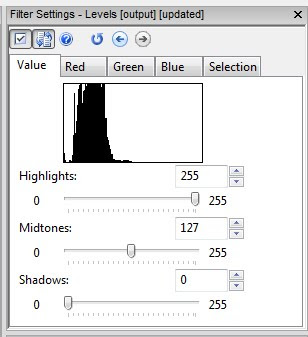
When you first examine your image, what do you see? Here, the image displayed is very dark. Notice the values in histogram are to the very left of centre. To correct this, we'd rather the values be a nice, bell shaped curve centred in the middle. To correct this, we'd like to take what's there (0-90) and stretch it across the 0-255 range.

After Contrast Stretching, the values are now spread across the 0-255 range - resulting in a lighter image / video.
Getting there is different in Photoshop vs. AmpedFIVE.
In AmpedFIVE, the process is controlled by the user. The mode, Intensity or Color, is user selectable. The Sensitivity adjustment is like a nudge - how much pixel data to exclude. These two controls taken together allow for more refined control over the process.

In Photoshop, the closest thing to contrast stretching is the Equalize command (Image>Adjustments>Equalize). With Equalize, the darkest value gets mapped to 0 and the lightest value gets mapped to 255. Photoshop then remaps the middle values so that they are evenly redistributed.
Try it in PS. A couple of things will become evident. No SmartObjects. Not editable. Try it in AmpedFIVE. It's editable. And ... because changes aren't written to the pixels until you write the file out, it can be done in a non-destructive way.

When you first examine your image, what do you see? Here, the image displayed is very dark. Notice the values in histogram are to the very left of centre. To correct this, we'd rather the values be a nice, bell shaped curve centred in the middle. To correct this, we'd like to take what's there (0-90) and stretch it across the 0-255 range.

After Contrast Stretching, the values are now spread across the 0-255 range - resulting in a lighter image / video.
Getting there is different in Photoshop vs. AmpedFIVE.
In AmpedFIVE, the process is controlled by the user. The mode, Intensity or Color, is user selectable. The Sensitivity adjustment is like a nudge - how much pixel data to exclude. These two controls taken together allow for more refined control over the process.

In Photoshop, the closest thing to contrast stretching is the Equalize command (Image>Adjustments>Equalize). With Equalize, the darkest value gets mapped to 0 and the lightest value gets mapped to 255. Photoshop then remaps the middle values so that they are evenly redistributed.
Try it in PS. A couple of things will become evident. No SmartObjects. Not editable. Try it in AmpedFIVE. It's editable. And ... because changes aren't written to the pixels until you write the file out, it can be done in a non-destructive way.
Tuesday, August 21, 2012
Processing images and video on really old hardware
One of the things that I test, when looking at using a new piece of software, is how it works across a variety of PCs. I have both desktops and laptops running XP, Vista, and Win7 (and of course Macs). Given that there are many readers who are in government service, and use really old hardware, I want to make sure that my recommendations will be able to be useful to a majority of my readers.
With that in mind, I've noted the progress that Adobe has made in squeezing every last bit of processing power out of the latest processors and GPUs. The installation space needed to install Photoshop, or the Suite, gets bigger with each release. A lot of the feedback that I've received is that people are stuck somewhere between CS2 and CS4 due to the limitations of their PCs.
What to do?
While Adobe's target Photoshop user is the Professional or Prosumer photographer, the assumption is that their customers will cycle their hardware as new software comes along. For the most part - they're right. But, that premise doesn't hold true with government service. The 18 month hardware replacement cycle often gets stretched to five years and beyond.
While Adobe's target is wide, the folks out there building purpose-specific software are targeting a very narrow audience. As an example, AmpedFIVE's code has been highly optimized to run as fast as possible on standard architecture (the low end), through the use of efficient implementation of advanced algorithms. It runs just as well on an old XP desktop, or an old XP laptop, as it does on a new Win7 workstation.
In a time of shrinking budgets, Amped gets its customers' concerns. Not having to replace a room full of computers in order to get the latest and greatest piece of software is a huge deal in government service. It's part of the reason that AmpedFIVE is my new best friend.
With that in mind, I've noted the progress that Adobe has made in squeezing every last bit of processing power out of the latest processors and GPUs. The installation space needed to install Photoshop, or the Suite, gets bigger with each release. A lot of the feedback that I've received is that people are stuck somewhere between CS2 and CS4 due to the limitations of their PCs.
What to do?
While Adobe's target Photoshop user is the Professional or Prosumer photographer, the assumption is that their customers will cycle their hardware as new software comes along. For the most part - they're right. But, that premise doesn't hold true with government service. The 18 month hardware replacement cycle often gets stretched to five years and beyond.
While Adobe's target is wide, the folks out there building purpose-specific software are targeting a very narrow audience. As an example, AmpedFIVE's code has been highly optimized to run as fast as possible on standard architecture (the low end), through the use of efficient implementation of advanced algorithms. It runs just as well on an old XP desktop, or an old XP laptop, as it does on a new Win7 workstation.
In a time of shrinking budgets, Amped gets its customers' concerns. Not having to replace a room full of computers in order to get the latest and greatest piece of software is a huge deal in government service. It's part of the reason that AmpedFIVE is my new best friend.
Monday, August 20, 2012
What is an unmanipulated image?
Here's an interesting link to a discussion on image "manipulation." The conversation reinforces what I've always said about the use of clarification techniques - your work should maintain the integrity of the images' content and context.
Thanks go out to Martino for the link.
Enjoy.
Thanks go out to Martino for the link.
Enjoy.
Friday, August 17, 2012
Image Processing by Point Operations
At their essence, point operations constitute a simple but important class of image processing operations and serve as a good starting point for discussion. These operations change the luminance values of an image and therefore modify how an image appears when displayed (think brightness adjustments). The terminology originates from the fact that point operations take single pixels as inputs. This can be expressed as
g(i,j)=T[f(i,j)]
where T is a grayscale transformation that specifies the mapping between the input image f and the result g, and i,j denotes the row, column index of the pixel. Point operations are a one-to-one mapping between the original (input) and modified (output) images according to some function defining the transformation T.
OK. So what does that have to do with us? Point operations can be used to enhance an image. Details not clearly visible in the original image may become visible upon the application of a point operator. For example, a dark region in an image may become brighter after the operation.
g(i,j)=T[f(i,j)]
where T is a grayscale transformation that specifies the mapping between the input image f and the result g, and i,j denotes the row, column index of the pixel. Point operations are a one-to-one mapping between the original (input) and modified (output) images according to some function defining the transformation T.
OK. So what does that have to do with us? Point operations can be used to enhance an image. Details not clearly visible in the original image may become visible upon the application of a point operator. For example, a dark region in an image may become brighter after the operation.
Thursday, August 16, 2012
Kinesense Player Manager - a closer look
Yesterday, I introduced you to the Kinesense Player Manager. Today, I want to show you a few of the highlights of this cool new program.

Visual people will love the fact that you can see a snapshot of what the player looks like. Player Manager's left most tab/panel presents you with a list of the players installed or present on your system. You can search for others on your system or discs, and you can import new ones through the interface. It'll tell you where it is on your system ... and ... what file types are associated with the player.

When you get a disc and you're not sure about what player will be needed for the files on the disc, simply search for the player based on the file type. Here, I've searched for .60d ... and it correctly returned the QuickWave player. Remember, this is on your computer ... it's searching for players on your computer ... not over the internet.

And ... how cool is this ... you no longer have to be embarrassed to say that you use GSpot. Player Manager will give you codec information and potential sources to find the codec installer on the web. Just point it at a file and it does the work for you.
Kinesense Player Manager is a cool new product that's worth a look. I think you'll be impressed.

Visual people will love the fact that you can see a snapshot of what the player looks like. Player Manager's left most tab/panel presents you with a list of the players installed or present on your system. You can search for others on your system or discs, and you can import new ones through the interface. It'll tell you where it is on your system ... and ... what file types are associated with the player.

When you get a disc and you're not sure about what player will be needed for the files on the disc, simply search for the player based on the file type. Here, I've searched for .60d ... and it correctly returned the QuickWave player. Remember, this is on your computer ... it's searching for players on your computer ... not over the internet.

And ... how cool is this ... you no longer have to be embarrassed to say that you use GSpot. Player Manager will give you codec information and potential sources to find the codec installer on the web. Just point it at a file and it does the work for you.
Kinesense Player Manager is a cool new product that's worth a look. I think you'll be impressed.
Wednesday, August 15, 2012
Kinesense Player Manager
Even though the company is headquartered on the wrong side of the Irish Sea (Scots Wha Hae), the folks at Kinesense have come out with an interesting new product, the Kinesense Player Manager.
According to Kinesense, "PlayerManager comes preloaded with a database with information on 100s of players and file formats but also allows you to bulk import your own collection of players, add and search tags and information specific to your force and region, and export that library to synchronize multiple PCs. PlayerManager also comes with a complete copy of the Kinesense Vid-ID database to help identify file formats when you don’t have an internet connection."
For centrally managed police IT departments, this is a huge (and welcome) addition to our toolbox. Imagine being able to push players to all investigators' desktops as new ones come up. This could also work well at offices of District / State Attorneys and Public Defenders - or private FVA labs.
It's nice to see people thinking of ways to make our lives easier. If you're not familiar with Kinesense, you should check them out soon.
According to Kinesense, "PlayerManager comes preloaded with a database with information on 100s of players and file formats but also allows you to bulk import your own collection of players, add and search tags and information specific to your force and region, and export that library to synchronize multiple PCs. PlayerManager also comes with a complete copy of the Kinesense Vid-ID database to help identify file formats when you don’t have an internet connection."
For centrally managed police IT departments, this is a huge (and welcome) addition to our toolbox. Imagine being able to push players to all investigators' desktops as new ones come up. This could also work well at offices of District / State Attorneys and Public Defenders - or private FVA labs.
It's nice to see people thinking of ways to make our lives easier. If you're not familiar with Kinesense, you should check them out soon.
Tuesday, August 14, 2012
Image enhancement
Years ago, I put a post up noting definitions from McAndrew's book on image processing. I still get the odd question about specifics within those generic definitions. So here's a little deeper look at enhancement operations.
Anil K. Jain (Fundamentals of Digital Image Processing, 1989) defined image enhancement as "accentuation, or sharpening, of image features such as edges, boundaries, or contrast to make a graphic display more useful for display or analysis." Jain goes on to note that the enhancement process doesn't increase the inherent information content in the data. It's like I've always said, we don't change content or context - we just help the trier of fact see and correctly interpret what's there in the image (or video).
One of the issues where we tend to have problems is quantifying the criterion for enhancement. As such, a large number of enhancement techniques are empirical and require interactive procedures in order to obtain satisfactory results. In essence, enhancement is hands-on and participatory. Analysts must make judgements as to what to do, in what order, and at what strength.
With this in mind, I want to spend some time exploring enhancement operations. I'll start today with a bit of a road map.
Enhancement's general operations:
Anil K. Jain (Fundamentals of Digital Image Processing, 1989) defined image enhancement as "accentuation, or sharpening, of image features such as edges, boundaries, or contrast to make a graphic display more useful for display or analysis." Jain goes on to note that the enhancement process doesn't increase the inherent information content in the data. It's like I've always said, we don't change content or context - we just help the trier of fact see and correctly interpret what's there in the image (or video).
One of the issues where we tend to have problems is quantifying the criterion for enhancement. As such, a large number of enhancement techniques are empirical and require interactive procedures in order to obtain satisfactory results. In essence, enhancement is hands-on and participatory. Analysts must make judgements as to what to do, in what order, and at what strength.
With this in mind, I want to spend some time exploring enhancement operations. I'll start today with a bit of a road map.
Enhancement's general operations:
- Point Operations
- Spacial Operations
- Transform Operations
- Pseudocolouring
Point operations include:
- Contrast Stretching
- Noise Clipping
- Window Slicing
- Histogram Modeling
Spacial Operations include:
- Noise Smoothing
- Medial Filtering
- Unsharp Masking
- Low-pass, High-pass, and Bandpass filtering
- Zooming
Transform Operations:
- Linear Filtering
- Root Filtering
- Homomorphic filtering
Pseudocolouring:
- False Colouring
- Pseudocolouring
With these categories and operations in mind, I'll spend some time explaining them and putting them in context in future posts.
Monday, August 13, 2012
NCMF News
I received this in my in-box, so I thought that I'd share. Dr. Grigoras and his staff are doing wonderful work in Denver.
Hello from the National Center for Media Forensics,
As the summer is winding down, we are getting ready for our next incoming cohort of graduate students. We are very excited about this endeavor because it is also the launch of the program in a Hybrid delivery format complimenting online learning with intensive hands-on sessions. If you are interested in becoming a graduate student in the two-year Media Forensics program at the NCMF, please remember that we accept applications for Fall enrollment only. The Fall 2013 MSRA-MF application deadline is February 15, 2013. Keep in mind that with the new Hybrid format, you can attend from anywhere in the world!
Thankfully, MATLAB student pricing is entirely more reasonable than the retail rate. Feel free to use your MATLAB beyond FVA ... exploring new LEGO Mindstorms opportunities.
Hello from the National Center for Media Forensics,
As the summer is winding down, we are getting ready for our next incoming cohort of graduate students. We are very excited about this endeavor because it is also the launch of the program in a Hybrid delivery format complimenting online learning with intensive hands-on sessions. If you are interested in becoming a graduate student in the two-year Media Forensics program at the NCMF, please remember that we accept applications for Fall enrollment only. The Fall 2013 MSRA-MF application deadline is February 15, 2013. Keep in mind that with the new Hybrid format, you can attend from anywhere in the world!
Thankfully, MATLAB student pricing is entirely more reasonable than the retail rate. Feel free to use your MATLAB beyond FVA ... exploring new LEGO Mindstorms opportunities.
Friday, August 10, 2012
Quantization
Folks often refer to digital video as "much better than the old tapes." Somehow, the fact that we've progressed to digital video recorders has translated into people's minds as "better" and "an improvement." But is it?
More often than not, the DVRs that we see at crime scenes are the sub-500 dollar models from the local big box store. The purchasers are also the installers, choosing not to change the default settings. These default settings are usually CIF resolution and very lossy compression. But that's only part of the story.

The simple way of explaining where the problems begin is when the analogue camera signal meets the digital video recorder. If the camera has a type of CVBS connector (on consumer products a yellow RCA connector is typically used for composite video), it's analogue. If it has a network type plug (twisted pair Cat5, Cat5e, or Cat6 cables using 8P8C (RJ-45) modular connectors with T568A or T568B wiring), it's digital.
Quantization, in digital signal processing, is the process of mapping a large set of input values to a smaller set. A device or algorithmic function that performs quantization is called a quantizer. The error introduced by quantization is referred to as quantization error or round-off error. Oops ... error and round-off both imply loss. Loss isn't good. I thought digital was better?!
Look at the graph. In rounding-off, sometimes the grid is above the wave, sometimes it's below. The accuracy depends on the algorithm's parameters. What does this mean in practical terms?
Let's say you bought an expensive dome camera that sends 570TVL (television lines of resolution) of signal down the cable. TVL is also known as horizontal lines of resolution. But, an NTSC analog video picture is composed of 480 active horizontal lines. What gives?! Apples and oranges?

Here's the word from Bosch:
"Digitized NTSC video at CIF resolution is an image that is 352x240. It intentionally matches the NTSC 240 horizontal lines in a field so that there is a one-to-one conversion from analog to digital CIF. However, the 352 only produces a theoretical 264 TVL (remember 75 percent of 352), which does not match the 330, 380, 480 ,or 540 TVL from the cameras – so what happens to the extra vertical lines of resolution? They are lost. At CIF, any camera capable of delivering over 264 TVL will not appear superior: 264 TVL and 1,000 TVL cameras will produce identical images.
When compression solutions use CIF resolution, they typically use every other field and simply discard the others – so a CIF system throws away half the video information from the camera. Because the eye is good at averaging things, it’s not that noticeable, but this cuts the vertical resolution in half, and makes the resulting video “jerky” and less smooth."
Throws away half the video? Keeps every other line? Wow! Remember, CIF is often the default setting in consumer grade DVRs. So, we add round-off error to throwing away every other line? Oops. (Here's a handy resolution chart. Do the math. Divide the source resolutions by CIF. If you get a remainder, there's loss)
At it's essence, quantization is part of the process of getting the signal into the DVR and stored/displayed. It's one step in the process - but an important step. Depending on how its done will dictate how much/little loss occurs.
More often than not, the DVRs that we see at crime scenes are the sub-500 dollar models from the local big box store. The purchasers are also the installers, choosing not to change the default settings. These default settings are usually CIF resolution and very lossy compression. But that's only part of the story.

The simple way of explaining where the problems begin is when the analogue camera signal meets the digital video recorder. If the camera has a type of CVBS connector (on consumer products a yellow RCA connector is typically used for composite video), it's analogue. If it has a network type plug (twisted pair Cat5, Cat5e, or Cat6 cables using 8P8C (RJ-45) modular connectors with T568A or T568B wiring), it's digital.
Quantization, in digital signal processing, is the process of mapping a large set of input values to a smaller set. A device or algorithmic function that performs quantization is called a quantizer. The error introduced by quantization is referred to as quantization error or round-off error. Oops ... error and round-off both imply loss. Loss isn't good. I thought digital was better?!
Look at the graph. In rounding-off, sometimes the grid is above the wave, sometimes it's below. The accuracy depends on the algorithm's parameters. What does this mean in practical terms?
Let's say you bought an expensive dome camera that sends 570TVL (television lines of resolution) of signal down the cable. TVL is also known as horizontal lines of resolution. But, an NTSC analog video picture is composed of 480 active horizontal lines. What gives?! Apples and oranges?

Here's the word from Bosch:
"Digitized NTSC video at CIF resolution is an image that is 352x240. It intentionally matches the NTSC 240 horizontal lines in a field so that there is a one-to-one conversion from analog to digital CIF. However, the 352 only produces a theoretical 264 TVL (remember 75 percent of 352), which does not match the 330, 380, 480 ,or 540 TVL from the cameras – so what happens to the extra vertical lines of resolution? They are lost. At CIF, any camera capable of delivering over 264 TVL will not appear superior: 264 TVL and 1,000 TVL cameras will produce identical images.
When compression solutions use CIF resolution, they typically use every other field and simply discard the others – so a CIF system throws away half the video information from the camera. Because the eye is good at averaging things, it’s not that noticeable, but this cuts the vertical resolution in half, and makes the resulting video “jerky” and less smooth."
Throws away half the video? Keeps every other line? Wow! Remember, CIF is often the default setting in consumer grade DVRs. So, we add round-off error to throwing away every other line? Oops. (Here's a handy resolution chart. Do the math. Divide the source resolutions by CIF. If you get a remainder, there's loss)
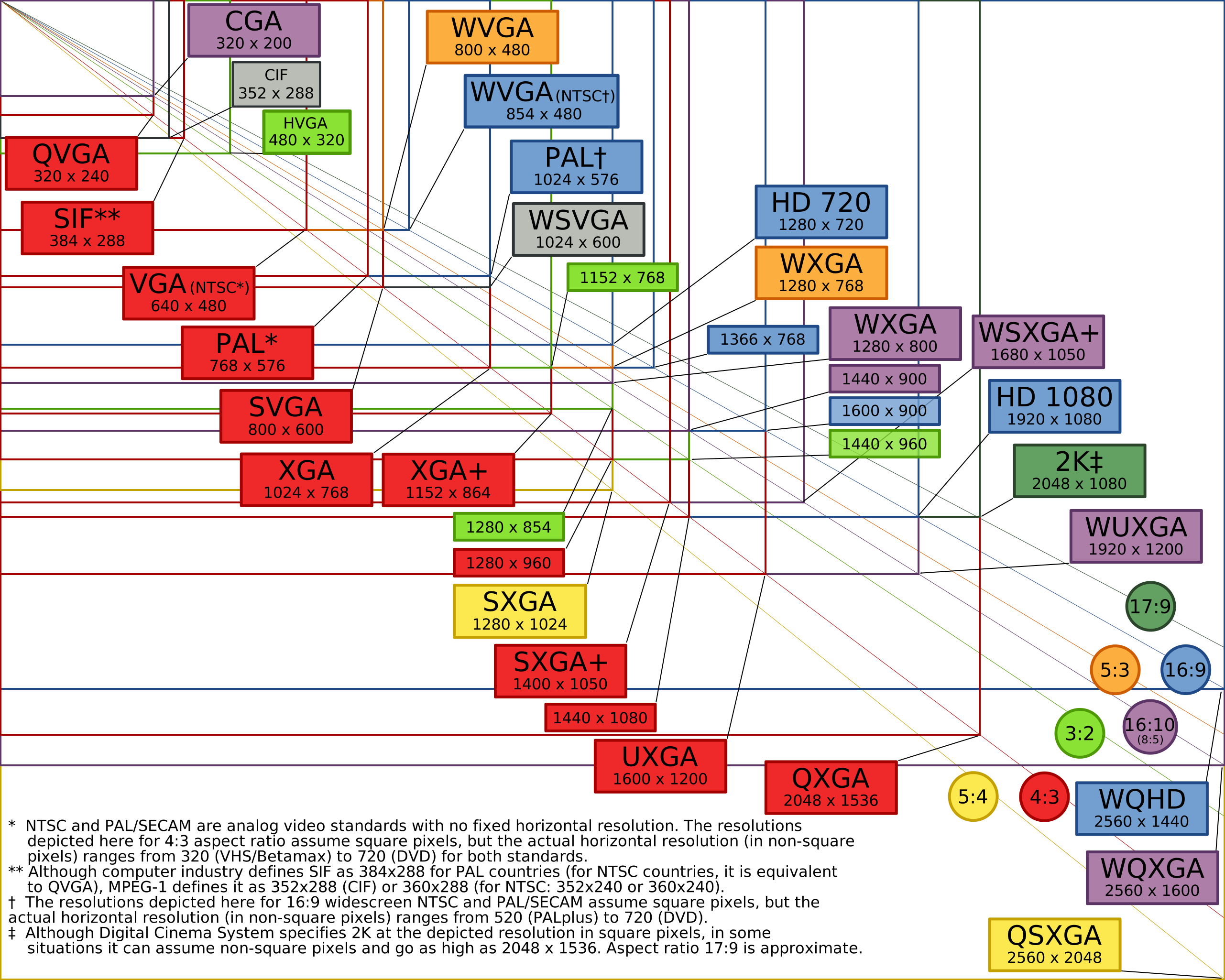
At it's essence, quantization is part of the process of getting the signal into the DVR and stored/displayed. It's one step in the process - but an important step. Depending on how its done will dictate how much/little loss occurs.
Thursday, August 9, 2012
Critical Fusion Frequency
Take a light and switch it on and off. When the switching is slow, the individual flashes are distinguishable. Speed the flashes up, and it becomes harder to distinguish the individual flashes from each other.
The graph below, taken from an old text book, shows the typical vision system's response.

As the frequency increases, our sensitivity (or ability to distinguish between individual flickers) decreases. At the critical fusion frequency (CFF), the flashes are indistinguishable from a steady light of the same average intensity. Interestingly, the CFF is different for each of us, as demonstrated here for patients with diseases of the eye. (a side note: do autistics have a higher CFF? This might explain why fluorescent lights bother autistic people so much ... No, Sarge, I'd rather not turn on the lights in here).
This same phenomenon also explains why we can generally see the stutter in video when the frame rate drops below 20 frames per second. Frames per second can thus be seen as the frequency of video, yes? Is it a coincidence that interlaced video is 60 fields per second (NTSC) and power line frequency is 60Hz? PAL is 50 fields in a country with a power line frequency of 50Hz? Hmmm.
The graph below, taken from an old text book, shows the typical vision system's response.

As the frequency increases, our sensitivity (or ability to distinguish between individual flickers) decreases. At the critical fusion frequency (CFF), the flashes are indistinguishable from a steady light of the same average intensity. Interestingly, the CFF is different for each of us, as demonstrated here for patients with diseases of the eye. (a side note: do autistics have a higher CFF? This might explain why fluorescent lights bother autistic people so much ... No, Sarge, I'd rather not turn on the lights in here).
This same phenomenon also explains why we can generally see the stutter in video when the frame rate drops below 20 frames per second. Frames per second can thus be seen as the frequency of video, yes? Is it a coincidence that interlaced video is 60 fields per second (NTSC) and power line frequency is 60Hz? PAL is 50 fields in a country with a power line frequency of 50Hz? Hmmm.
Wednesday, August 8, 2012
Mach band effect


You've heard of the CSI effect. It tends cause problems in getting folks back to reality. Part of the problem is that folks believe what they see, both on TV and in front of them as they sit in the jury box. But is seeing really believing?
What we're seeing here is the Mach band effect - where apparent brightness is not uniform (transitions seem brighter on the bright side and darker on the dark side). This effect was first described by Ernst Mach, the famous supersonic physicist that gave us the Mach numbering system (M=V/a). The undershoots and overshoots (red line) illustrate the effect.
Remember that this is a perceived effect. The change in luminance is a hard step. The change in brightness has the under/over shoots - giving the appearance of a gradient. Remember, brightness and luminance aren't the same thing.
Want to see more? Click here to head over to Duke University and see for yourself.
Tuesday, August 7, 2012
simultaneous contrast

You've seen this exercise before. Are the centre objects the same? Use your eyedropper and sample a pixel. What values for RGB do you find? Are they the same?
What's going on that tricks you into thinking that they are different? If they're the same RGB values, why do they look different?

The way our eyes and brains interact, the luminance of an object is independent of the luminances of the surrounding objects. But, the brightness of an object is the perceived luminance and depends on the luminances of the surrounding objects. Thus, two objects with different surroundings could have identical luminances but different brightnesses. The bottom grouping has a light background and makes the centre look darker than the centre of the top - brightness depends on the luminance of the surrounding object.
For more information on simultaneous contrast, click here.
Monday, August 6, 2012
Scotopic Vision
We were watching the History Channel the other day and one of my kids asked about why all the night shots were green. Kids ask the craziest things.
The long/thin photoreceptors in the eyes, the rods, are responsible for vision under low light conditions. They provide Scotopic vision - low light vision. The term comes from Greek skotos meaning darkness and -opia meaning a condition of sight.

As it turns out, the rods are most sensitive to wavelengths of light around 498 nm (green-blue). In the graph above, the green bell-shaped curve represents scotopic vision (the rods) and the black represents photopic vision (the cones). The area where the two intersect - where both rods and cones are active - represents mesopic vision.
So, understanding how our eyes work in low light, the creators of night vision technologies peg the displays between 450-550nm - green.
With this answer, my kids responded ... cool.
For more information on the spectral response of the human visual system under scotopic conditions, click here.
The long/thin photoreceptors in the eyes, the rods, are responsible for vision under low light conditions. They provide Scotopic vision - low light vision. The term comes from Greek skotos meaning darkness and -opia meaning a condition of sight.

As it turns out, the rods are most sensitive to wavelengths of light around 498 nm (green-blue). In the graph above, the green bell-shaped curve represents scotopic vision (the rods) and the black represents photopic vision (the cones). The area where the two intersect - where both rods and cones are active - represents mesopic vision.
So, understanding how our eyes work in low light, the creators of night vision technologies peg the displays between 450-550nm - green.
With this answer, my kids responded ... cool.
For more information on the spectral response of the human visual system under scotopic conditions, click here.
Friday, August 3, 2012
Version 2.0 of the blog starts now
I've decided to move the blog away from a single piece of software and change the title of the blog. With this change of focus, I'll be posting more imaging science posts, authentication tips, upcoming training offerings, and legal updates.
You can see this new focus in action at the LEVA conference as I present Image Processing Fundamentals.
Here we go. It's going to be fun. ...
You can see this new focus in action at the LEVA conference as I present Image Processing Fundamentals.
Here we go. It's going to be fun. ...
Thursday, August 2, 2012
Image Processing Fundamentals
Here's a little blurb on what I'll be presenting at this year's LEVA Conference in San Diego:
Image Processing Fundamentals
Our juries are becoming more sophisticated. They're demanding deeper responses and better explanations to questions about your clarification techniques. Part of your testimony (telling your story) now involves framing the science of your analysis in a way that your jury can understand. Who are Joseph Fourier and Carl Friedrich Gauss? What do they have to do with your work as an analyst?
In this session, we move beyond workflows and checklists and enlist the help of some of the legends of mathematics to focus on the science that lies beneath the surface of the filters that we use every day.
I hope to see you all there.
Image Processing Fundamentals
Our juries are becoming more sophisticated. They're demanding deeper responses and better explanations to questions about your clarification techniques. Part of your testimony (telling your story) now involves framing the science of your analysis in a way that your jury can understand. Who are Joseph Fourier and Carl Friedrich Gauss? What do they have to do with your work as an analyst?
In this session, we move beyond workflows and checklists and enlist the help of some of the legends of mathematics to focus on the science that lies beneath the surface of the filters that we use every day.
I hope to see you all there.
Wednesday, August 1, 2012
DVD copy as best evidence
This just in from the UK's David Thorne: "... When we examined the individual archive files we found that whilst the player was displaying the pink screen it had not displayed the last few frames from the end of the archive. It was also discovered that there was a gap between the actual last frame of the archive and the start of the next archive. These gaps differed in length between each archive from 0.4 and 41.40 seconds which suggested that the system was set to record using motion detection and once triggered it then recorded for a set time and then stopped not starting again until motion was detected.
This meant that the chronology of events was distorted dependant on the delay between recordings. And if that wasn’t enough we found that the compression format used for converting of the screen capture to the DVD format had not converted all of the unique frames thus meaning that even more of the original frames were missing from the DVD. The DVD format also changes the detail in the images but I’ll save that for another time.
There is no suggestion that this was done deliberately to hide material but it was certainly misleading and could have, if allowed to go to court, been damaging to the case ..."
This meant that the chronology of events was distorted dependant on the delay between recordings. And if that wasn’t enough we found that the compression format used for converting of the screen capture to the DVD format had not converted all of the unique frames thus meaning that even more of the original frames were missing from the DVD. The DVD format also changes the detail in the images but I’ll save that for another time.
There is no suggestion that this was done deliberately to hide material but it was certainly misleading and could have, if allowed to go to court, been damaging to the case ..."
Subscribe to:
Posts (Atom)